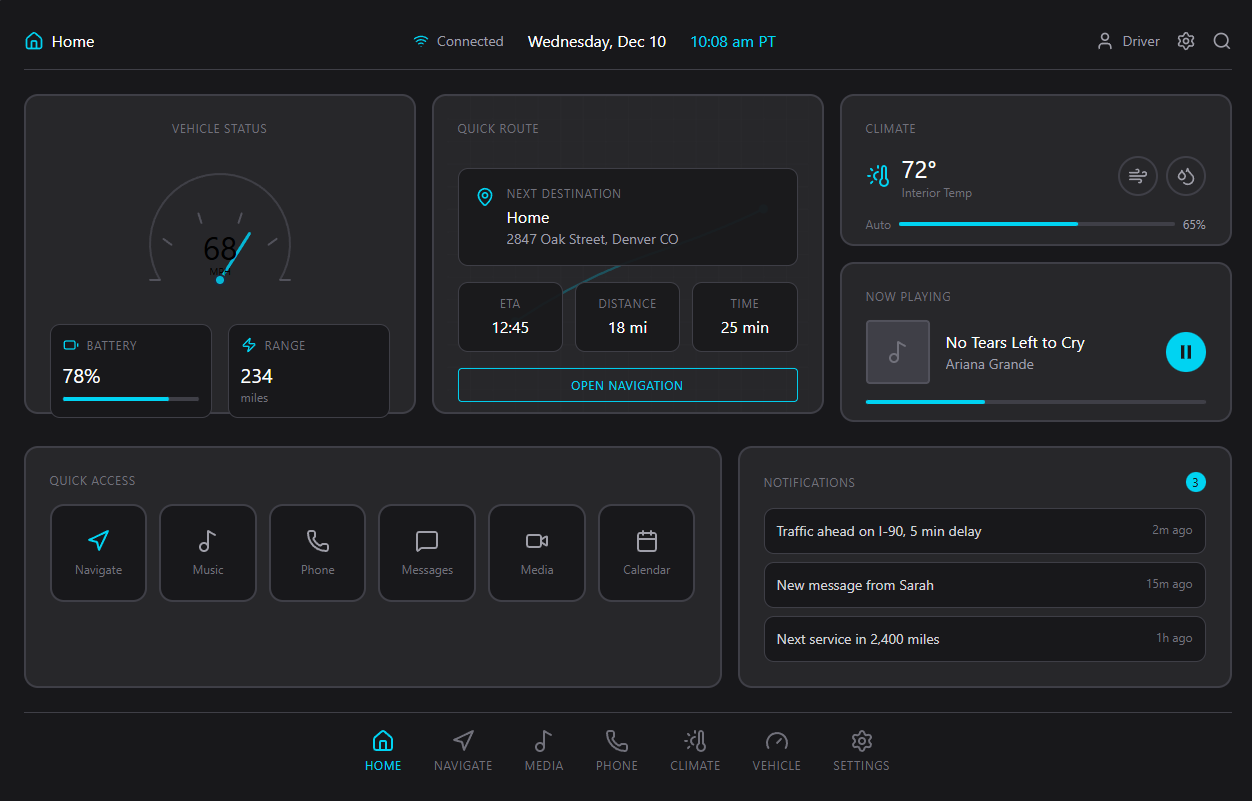
Vehicle Status
78%
234 mi
Drivers need a safe, intuitive in-vehicle interface that combines essential vehicle telemetry, navigation, and media controls with minimal cognitive load. Current systems often overload the user with micro-interactions and inconsistent visual language, increasing distraction risk.
Primary users are tech-savvy drivers aged 25–55 purchasing mid-to-high-end vehicles; they expect seamless smartphone integration, clear vehicle status, and quick access to navigation and media while minimizing distraction.
Competitors include established OEM infotainment platforms and third-party solutions (e.g., Android Auto, Apple CarPlay, OEM UIs). Our approach emphasizes minimal visual noise, clear hierarchy, and fast access to core actions.
Encourage test drives, prototype demonstrations, and pilot installations with partner OEMs.
Metrics: task completion time for common tasks, driver glance duration, usability SUS scores, and pilot adoption/feedback from partner fleets.
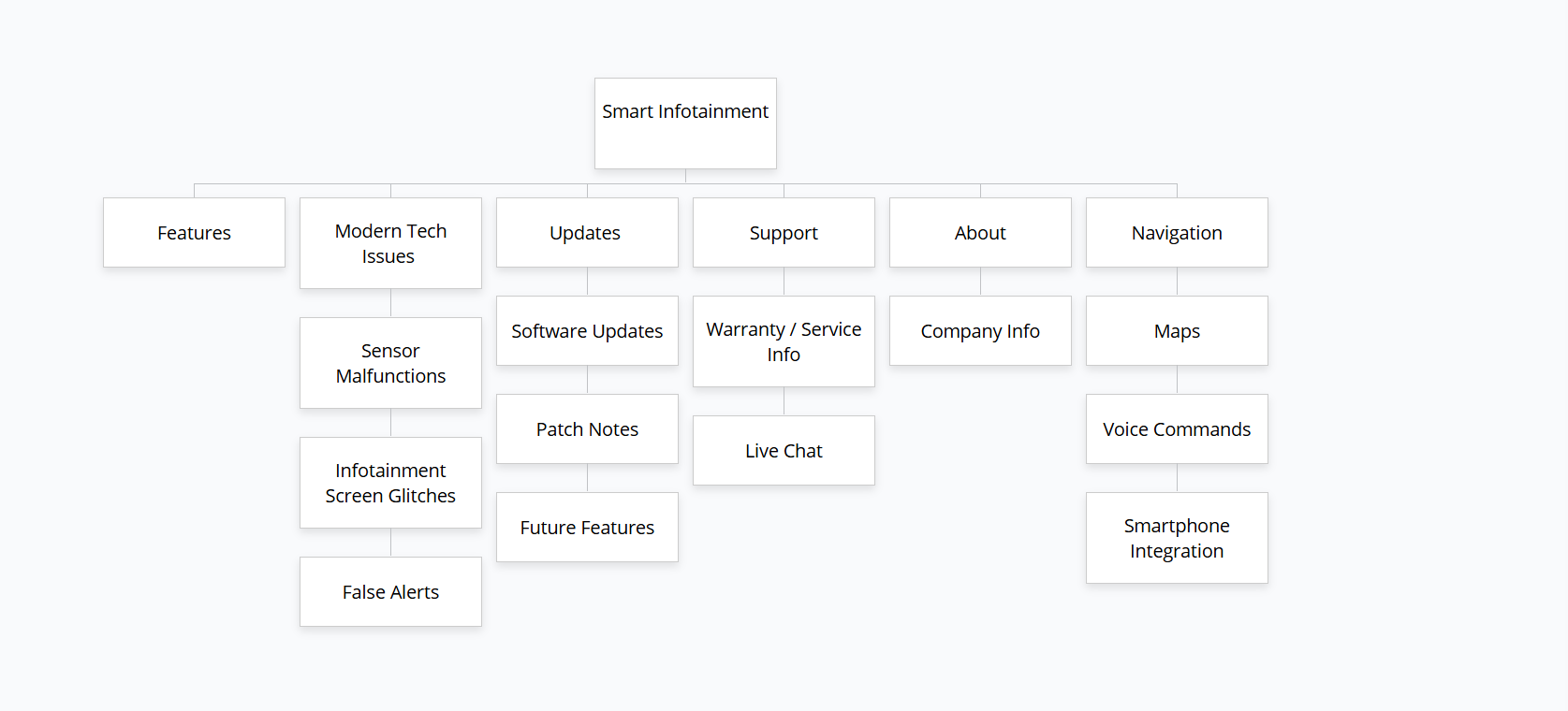
The sitemap divides the platform into six sections that include Features and Modern Tech Issues and Updates and Support and About and Navigation. The document contains specific subcategories within each section which focus on tech issues that handle sensor malfunctions and screen malfunctions and false alarm occurrences and updates that include software updates and patch notes and upcoming system enhancements. The system provides warranty information through its Support section and enables users to access live chat and features such as maps and voice commands and smartphone connection through its Navigation system...
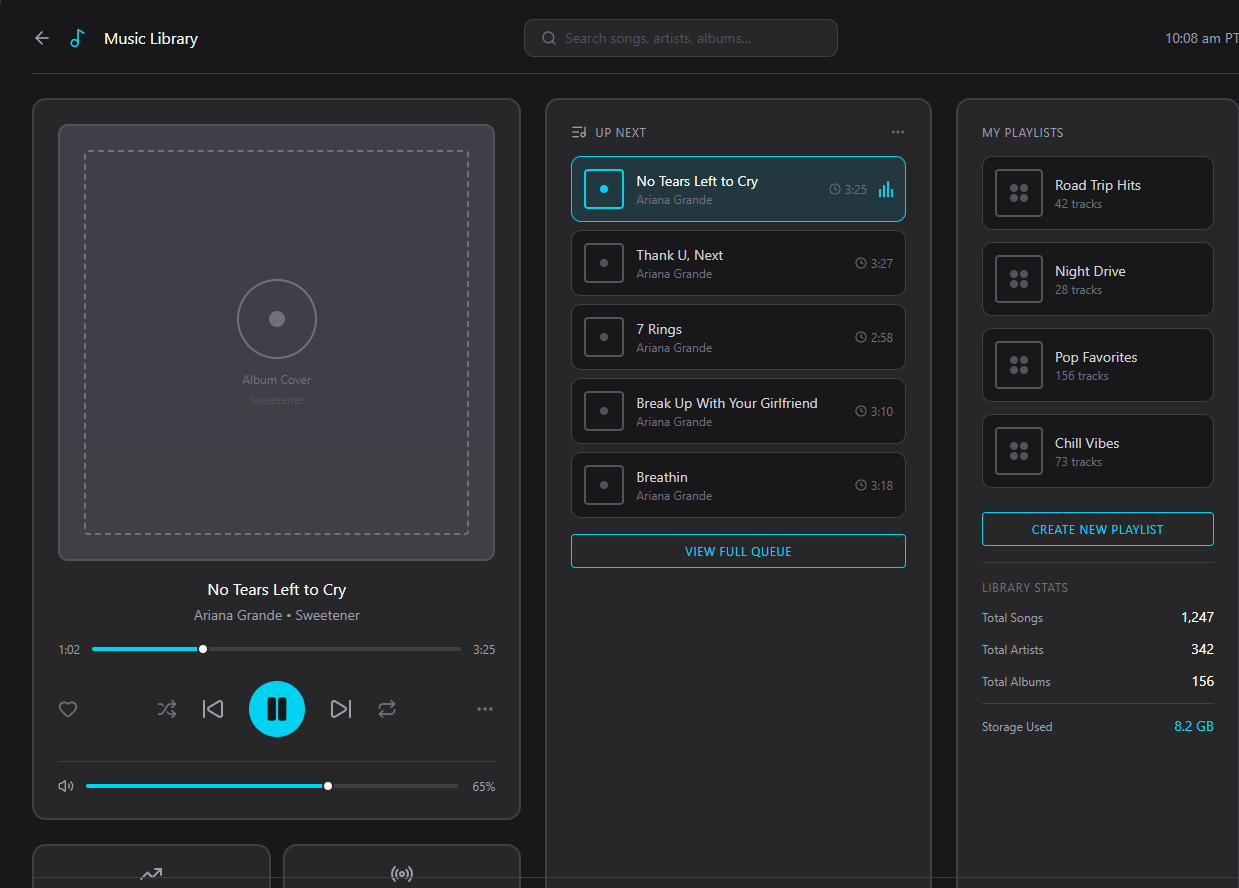
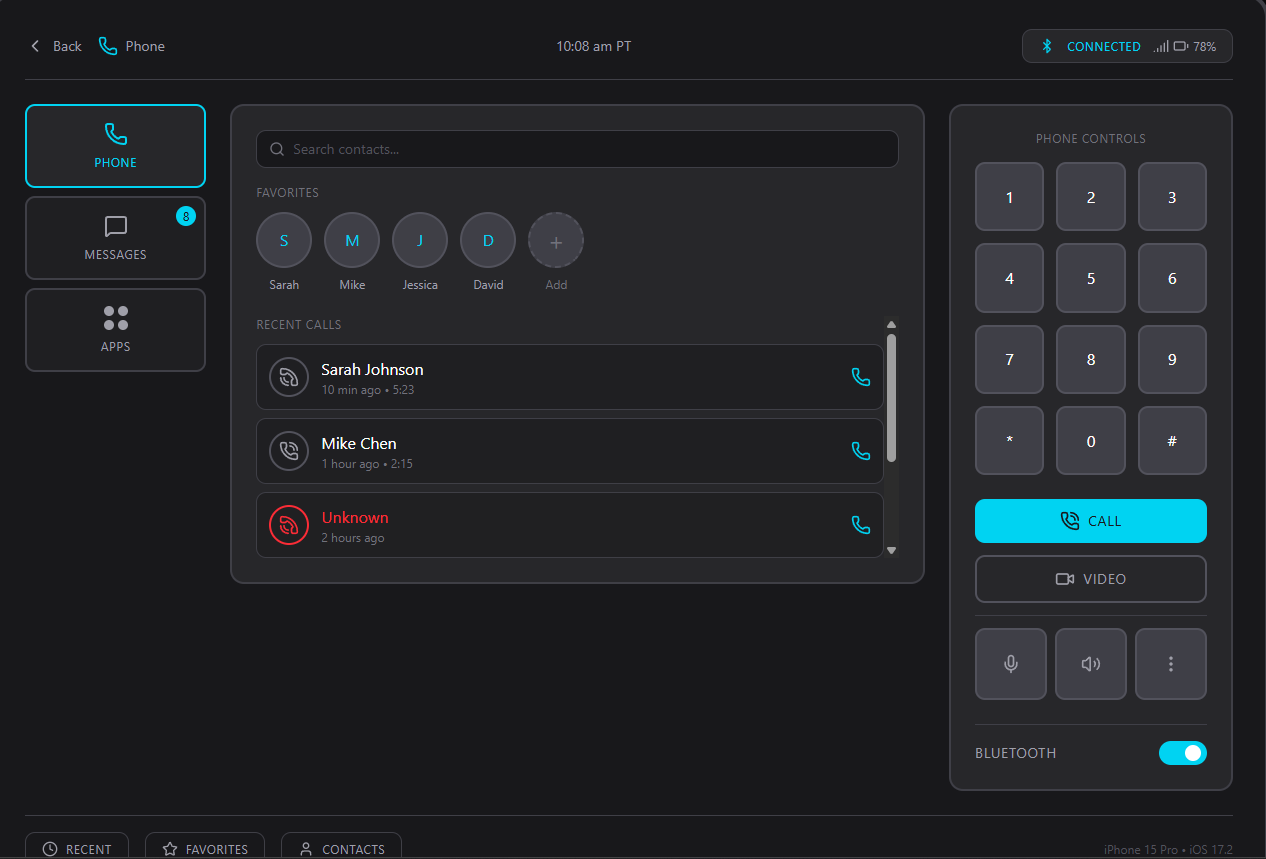
The Smart Infotainment system wireframes define its fundamental design structure which represents the first stage of user requirements transformation into visual screen elements. The design of each layout aims to minimize mental effort while providing drivers with immediate access to their essential driving functions. The Music screen focuses on simplicity through its design which includes big controls and organized structure and simple queue system to enable users perform tasks efficiently. The Home screen functions as the system control center which unites vehicle information with navigation and climate control and notification display into one easily viewable dashboard. The Phone screen provides a basic call interface to drivers which includes recent contacts and a simple dial pad arrangement. The design process begins with these wireframes which convert research findings into an operational system which drivers can use to create the base for the upcoming high-fidelity prototype. .
E-mail: triston.lacroix@example.com